Featured search
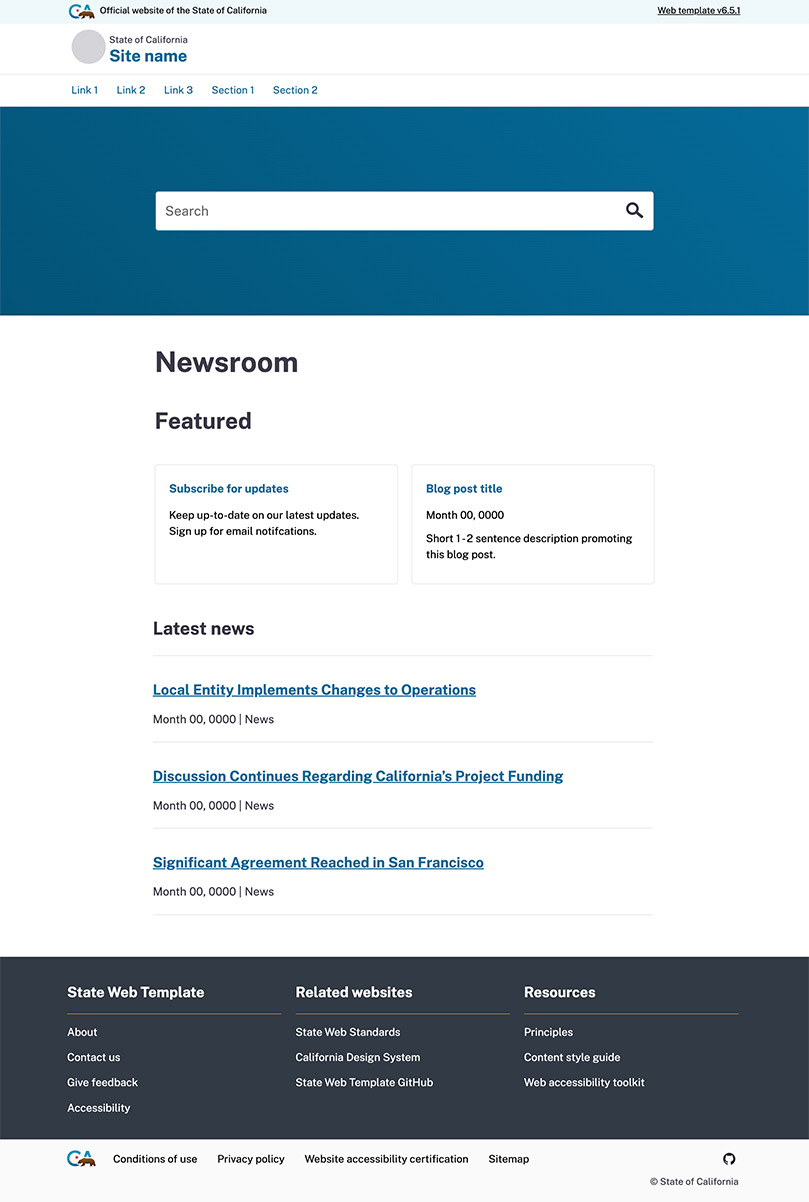
The featured search highlights search as the primary task. It is placed prominently, typically on the homepage. Its size and placement draws users attention, signaling the agency’s intentional focus on search.
Sample
Usage
When and how to use it
Always use a clear and concise label for your search bar. Visitors should readily understand what the search is for.
Try to use just one search per page. If you need multiple searches, clearly label them to indicate their purpose
For the best search optimization, evolve your content with search results. If visitors frequently use terms that are not in your content, consider working those search terms into the page content.
Position the search feature within the primary banner container, ideally located immediately below the main navigation.
How not to use it
Search field input should fit into one line. Do not use multiline search inputs.
Do not default to an advanced search. The majority of visitors will want to do a simple keyword search.
Accessibility
Standard accessibility review
Each time a new component version is published:
- Test with the Axe accessibility tool
- Review with the VoiceOver or NVDA screen reader
- Ensure all actionable elements are accessible by keyboard command and tab in a logical order
- Check the component layout on a variety of screen sizes